To view the service requests, navigate to Contracts > Service requests.
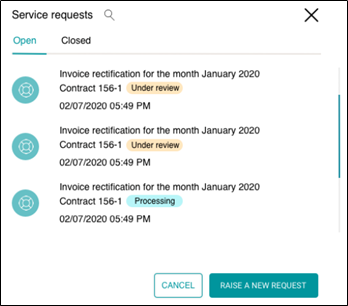
You can use the Search request option to look for specific service request applicable to you.
Using tabs, you can choose to view open and closed service requests.
To view the details of a service request and the response by the lessor on it, click on the required service request.
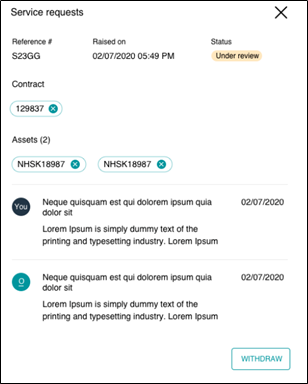
For each Service request, you can view following information.
| Reference # | Unique identifier that identifies a service request. |
| Raised on | Displays date and time. |
| Status | Status of service request –Open, Under review, Closed. |
| Contract | Contract details, if any contract is associated with the service request. |
| Assets | Asset details, if any asset is associated with the service request. |
You can withdraw any open service request by clicking WITHDRAW button.