We are here to help!
Adding Information to Custom Field Labels
Who is this applicable to? Portal Administrator, Portal User, Super User
Custom Field Labels facilitate Customer Portal users to add user-defined information to contracts or assets, that may be organization specific in nature.
NOTE
Custom Field Labels can only be created by Portal Administrator.
You can choose to enter information for Custom Fields either for an asset or a contract as follows:
- From the main menu header, navigate to Contracts > Contracts.
- Click the contract number for which you wish to enter the custom information and click
Alternatively, you can also click
corresponding to a contract and select the Custom Fields option.
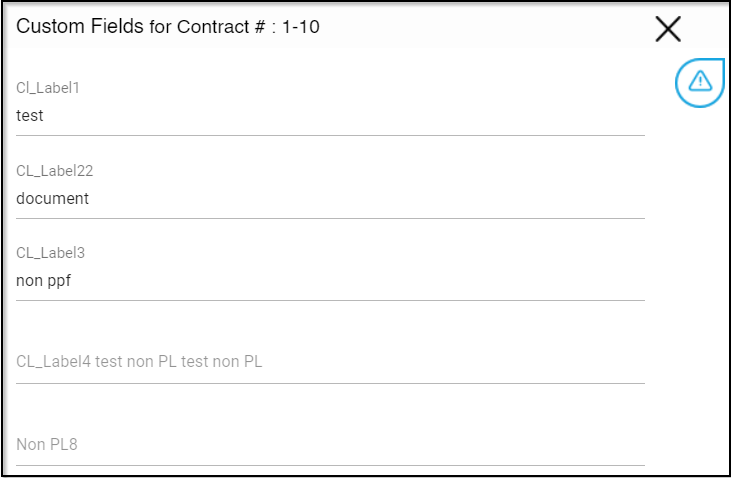
- In the Custom Fields for Contract # window that opens on the right, enter the values for the custom field labels as required.
- With all the required labels filled in, click
 in the bottom right.
- From the main menu header, navigate to Assets > Assets.
- Click the more option for which you wish to enter the custom fields.
- Click Custom Fields.
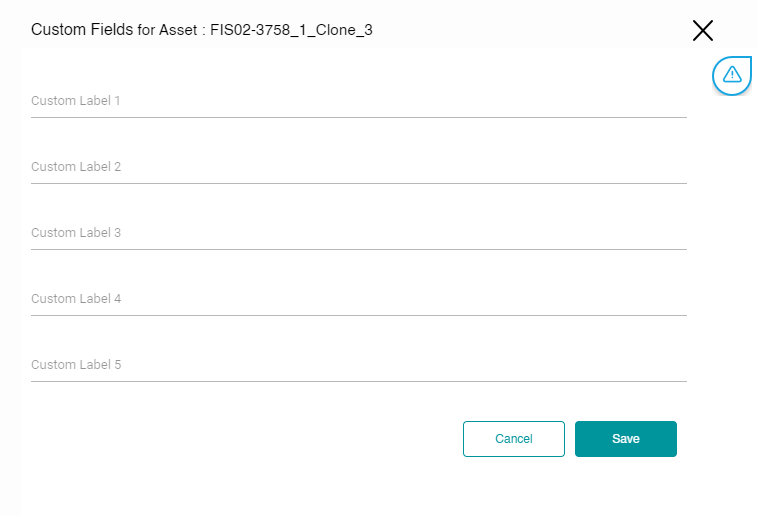
- In the Custom Fields for Assets # window that opens on the right, enter the values for the custom field labels as required.
- With all the required labels filled in, click in the bottom right.