Creating a Superuser
Who is this applicable to? Security Administrator
A Super User can access all the information of all the available customers and help them in resolving their queries and can even submit a transaction on behalf of the customer.
TIP
The Super User access should be given only to the lessor user with appropriate data access rights.
To create a super user, perform the following steps:
- From the menu on the left, navigate to User Management > Users.
- In the Users tab that opens, click
 .
.
Alternatively, you can also create a user by navigating to Create > User from the main menu on the left.
- Under Personal Details, enter the following information.
- Enter the First Name of the user, followed by the Last Name.
- Enter the Email id of the user, and optionally the Phone number.
- Under Access Details, enter the following information
- Enter the Login Name.
- From the dropdown list, select the Assigned Role.
- Under Customers, click
 to import customers.
 - In the Import Customers window that opens, select the customers that you want to assign to the user. You can choose to select the Import All Customers checkbox to import all the available customers.
TIP
For a super user, the system would allow importing the customers without validating the parent-child relationships among the selected customers.
- Click
 to import the selected customers.
- With all details filled in, click
 at the bottom of the tab to create the user.
NOTE
In case of errors, you can choose to override the warnings by selecting the Override warnings checkbox at the bottom of the tab, and clicking Submit once again.
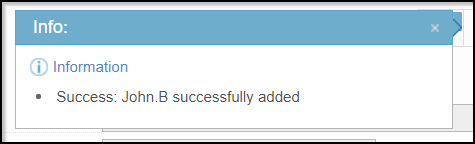
On successful creation of the user, you will receive a success message as follows:
Upon creating a user, you’ll have to run the Notification job to intimate the users about the profile creation.
While scheduling the Notification job, select Job Task as Notification in the Job Step section.
TIP
It is recommended to schedule a recurring job to intimate users about profile creation.
To know more about jobs, click here.