You can upload additional document(s) to the earlier added set of documents using the Customer Portal. To add additional document(s), follow any one of the following.
Navigate to Contracts > Manage documents.
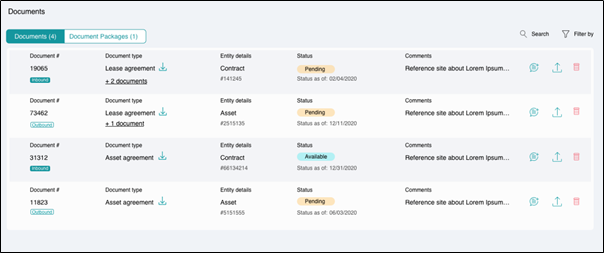
Searching and filtering
You can use the Search or Filter By option to look for specific documents.
Navigate to Contracts > View contracts > Click corresponding to a contract > Manage documents.
OR
Navigate to Contracts > View contracts > Click corresponding to a contract > View contract details > Manage documents.
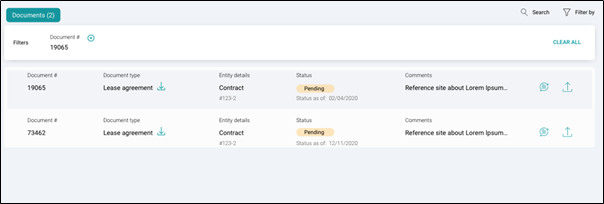
Searching and filtering
You can use the Search or Filter By option to look for specific documents.
- Click
corresponding to the Document # to upload a new document.
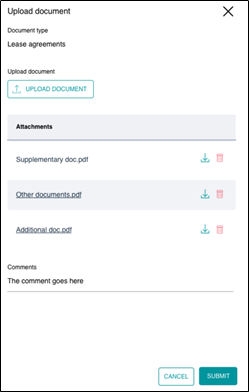
- Click UPLOAD DOCUMENT and select file(s) to upload.
- You can add the comments, if any.
- Click SUBMIT button to add the document.
Downloading and deleting
You can download the already added documents by clicking corresponding to the document name and delete a wrongly uploaded file by clicking
.