We are here to help!
Viewing a Payoff Quote Request
Who is this applicable to? Portal Administrator, Portal User, Super User
All payoff quotes created in the system can be viewed and managed from one single location in the Customer Portal. For this, navigate to Contracts > Payoff Quotes.
In the Payoff Quotes module that opens, you can use the  tabs to view all requests, only pending requests, or only Approved Requests respectively.
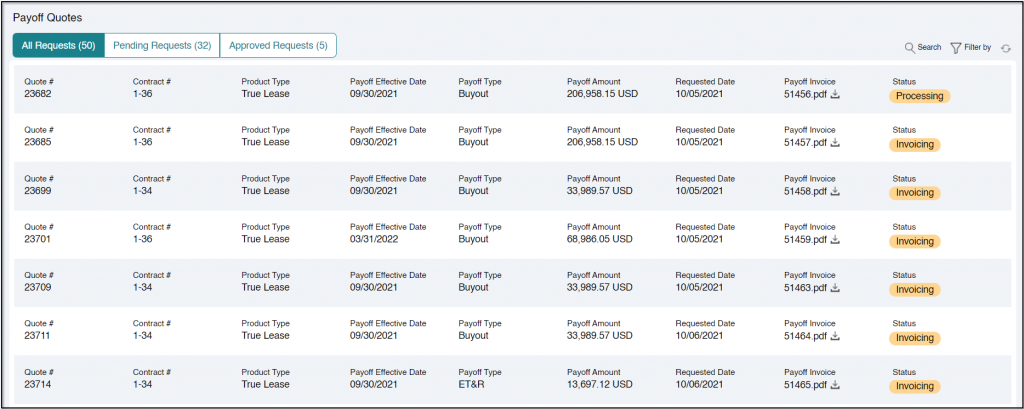
For each payoff quote, you can view the following information:
| Quote # | Unique identifier of the quote. |
| Contract # | Unique identifier of the contract. |
| Product Type | Type of contract. |
| Payoff Effective Date | The effective date of the payoff. |
| Payoff Type | Type of payoff. |
| Payoff Amount | Amount of payoff. |
| Requested Date | Requested date of payoff. |
| Payoff invoice | Invoice of the payoff Quote. |
| Status | Indicates the status of the Payoff – Invoicing, Processing, Pending Repossession, Submitted, Waiting for Approval, Approved, Inactive, Reversed. |