You can track the data of the contract as required. Custom fields are user defined fields.
To define these fields, navigate to Contracts > View contracts > Click corresponding to a contract > Manage custom fields.
OR
Navigate to Contracts > View contracts > Click corresponding to a contract > View contract details > MANAGE CUSTOM FIELDS.
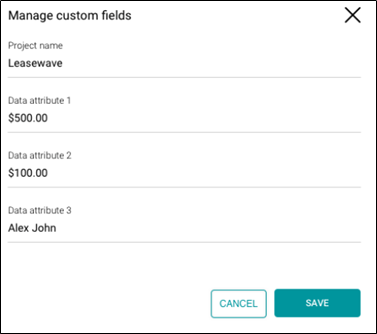
- Enter the name of the project under Project name.
- Enter data attributes under Data attribute 1,2,3.
- Click SAVE.