We are here to help!
Editing/Inactivating a schedule
Who is this applicable to? Portal Administrator, Portal User, Super User
- On the Report Schedule page, click
 corresponding to the Schedule # which you want to edit or inactivate.
Click Submit to save the changes made to the report.
Editing the schedule
- Edit the editable fields as required.
Inactivating the schedule
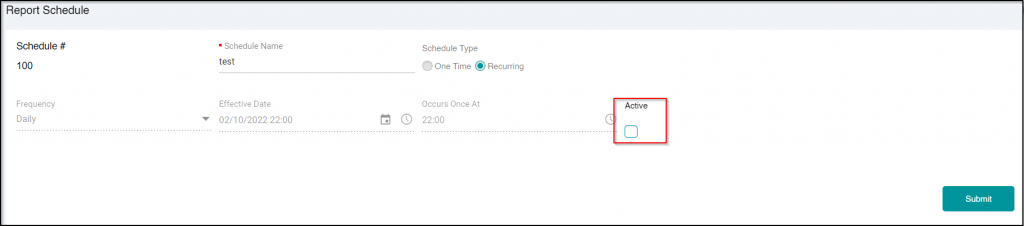
- Unselect the Active checkbox.