The Customer Portal allows you to create payoff quotes for your contract. Depending on your needs, there are three ways to create a payoff quote:
Method 1: If you wish to first view all the payoff quotes and then create a new payoff quote, use this method.
Method 2: If you want to view the payoff quote for a particular contract and then create a new payoff quote for that contract, use this method.
Method 3: In case you want to create the payoff quote directly, without viewing the existing payoff quotes, use this method.
Navigate to Contracts > Manage payoffs quote.
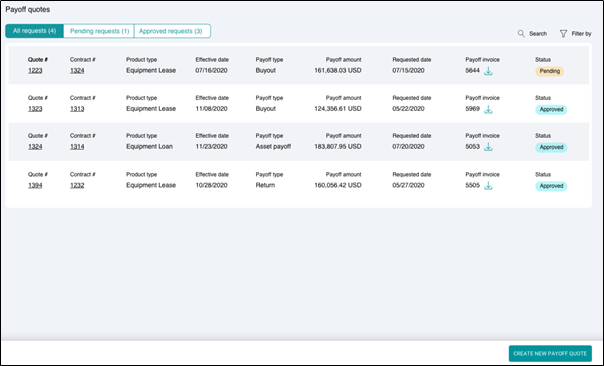
Click CREATE NEW PAYOFF QUOTE.
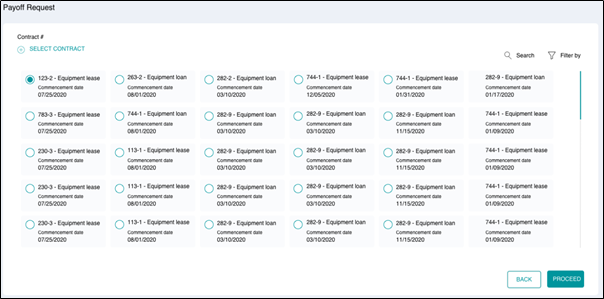
- Click SELECT CONTRACT and select the contract(s) for payoff quote.
- Click PROCEED.
Navigate to Contracts > View contracts > Click corresponding to the Contract #> MANAGE PAYOFF.
OR
Navigate to Contracts > View contracts > Click corresponding to the Contract #> View contract details > MANAGE PAYOFF.
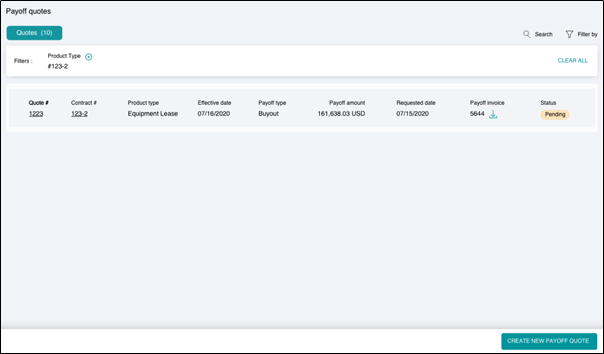
Searching and filtering
You can use the Search or Filter By option to look for specific documents.
Quick actions method
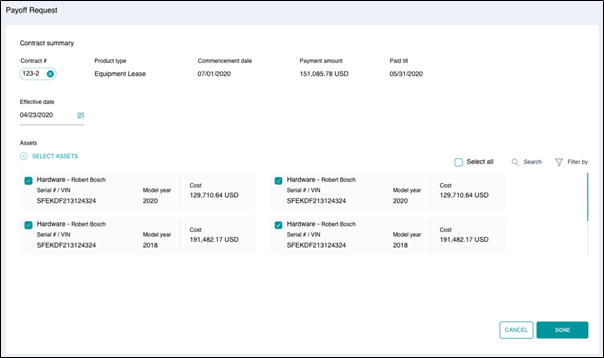
- Under Contract summary, you can view the contract details.
- Select the effective date of payoff by clicking on
.
- Click SELECT ASSET and select the assets for which you want to create the payoff quote. You can select Select all option to select all the assets.
Searching and filtering
You can use the Search or Filter By option to look for specific asset applicable to you or even use Select all option to select all the assets.
4. Once you have selected the required assets, click DONE.
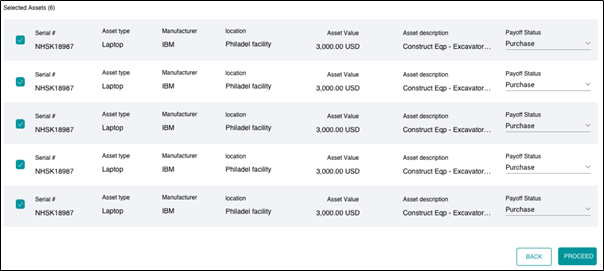
Under Selected Assets, you can view all the details of the asset. For each asset, you can view the following information:
| Serial # | Unique identifier of the asset. |
| Asset type | Type of asset. |
| Manufacturer | Manufacturer of the asset |
| Location | Location of the asset |
| Asset Value | Total value of the asset |
| Asset description | Description of the asset |
| Payoff Status |
- Click PROCEED.
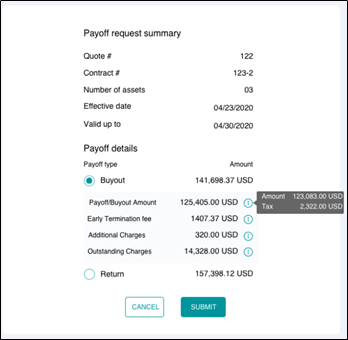
- Under Payoff request summary, you can view the details of the payoff request.
- Choose if you want to Buyout or Return the payoff.
- Click SUBMIT button to create a new payoff quote.
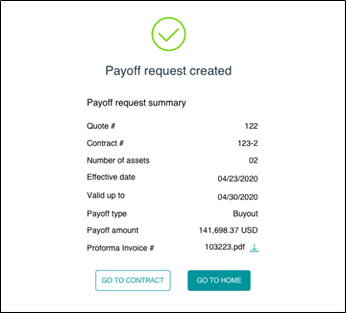
On successful completion, you will receive a Payoff request created confirmation as follows: