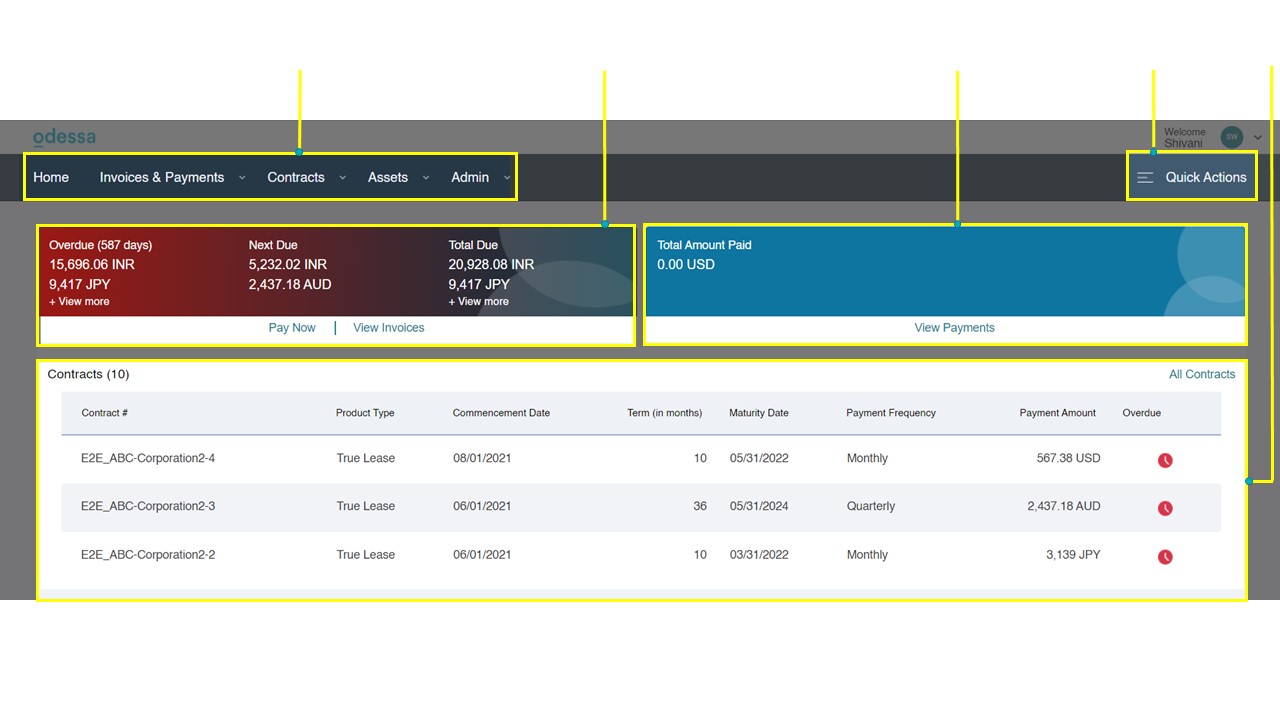
Once you login to your Customer Portal account, you would be welcomed with the Home page. The Customer Portal Home page provides you with an overview of the Invoices, Payments, and Contracts.
From the main header, you can navigate to the various modules of the Customer Portal. Following are the modules in the Customer Portal:
- Invoices & Payments
The Invoices & Payments module allows you to view the Invoice details, pay the pending Invoices and view the Payment History of the paid invoices.
- Contracts
Using the Contracts module, you can view Contract details, upload Documents to the Customer Portal, create Payoff Quotes, view the Payment Schedule and raise Service Requests for your lessor.
- Assets
You can can view the Asset details, and request Location Change for your assets using the Assets module.