We are here to help!
Configuring Custom Field Labels
Who is this applicable to? Portal Administrator, Super User
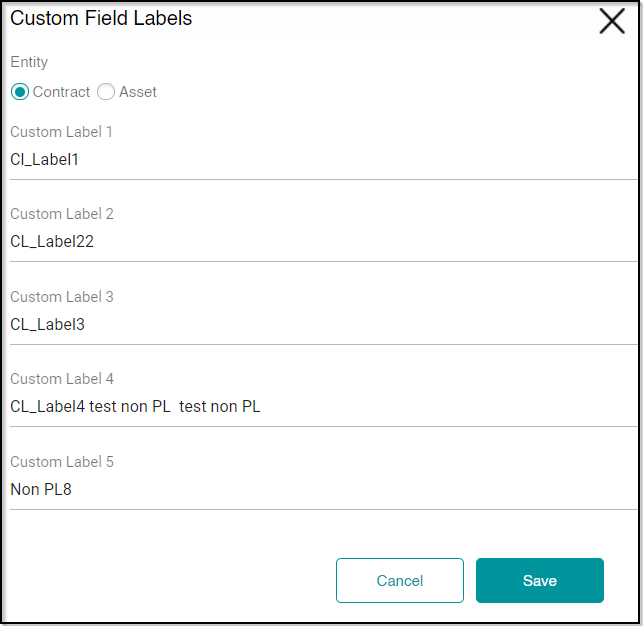
Custom Field Labels facilitate Customer Portal users to add user-defined information to contracts or assets, that may be organization specific in nature. For this, Portal Administrators have the facility to create such custom fields that can be used by all the users of the Customer Portal.
- From the main menu header, navigate to Admin > Custom Field Labels. This opens the Custom Field Labels on the left.
- Select Contract or Asset as required by you.
- Enter the Custom Label details.
- Click
 to save the Custom Fields.
To know how to add information in the Custom Fields, click here